AlpinE is becoming more useful when we stop describing it as a theme or a future image and look at the pieces that make a workstation operational. The current stack has a filesystem view, a settings surface, a package manager, native desktop applications, and an explicit theme contract.
This is the Linux Users companion to our Retro Users view. The same work can read as Amiga-like from one side and as Alpine engineering from the other. Both readings are intentional.
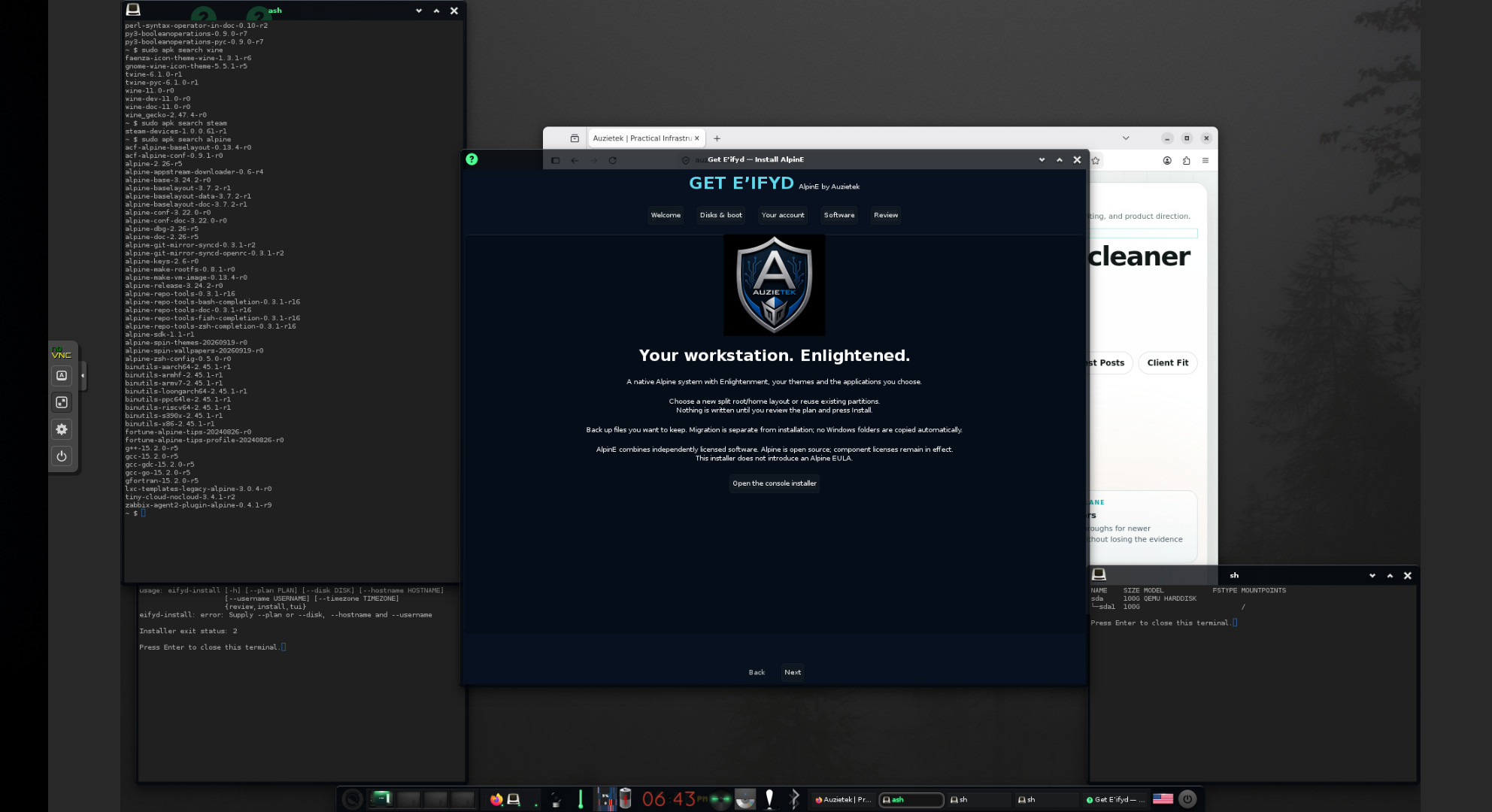
A local .e/e/shots capture from the workstation preview gives the project context behind these repository screens.
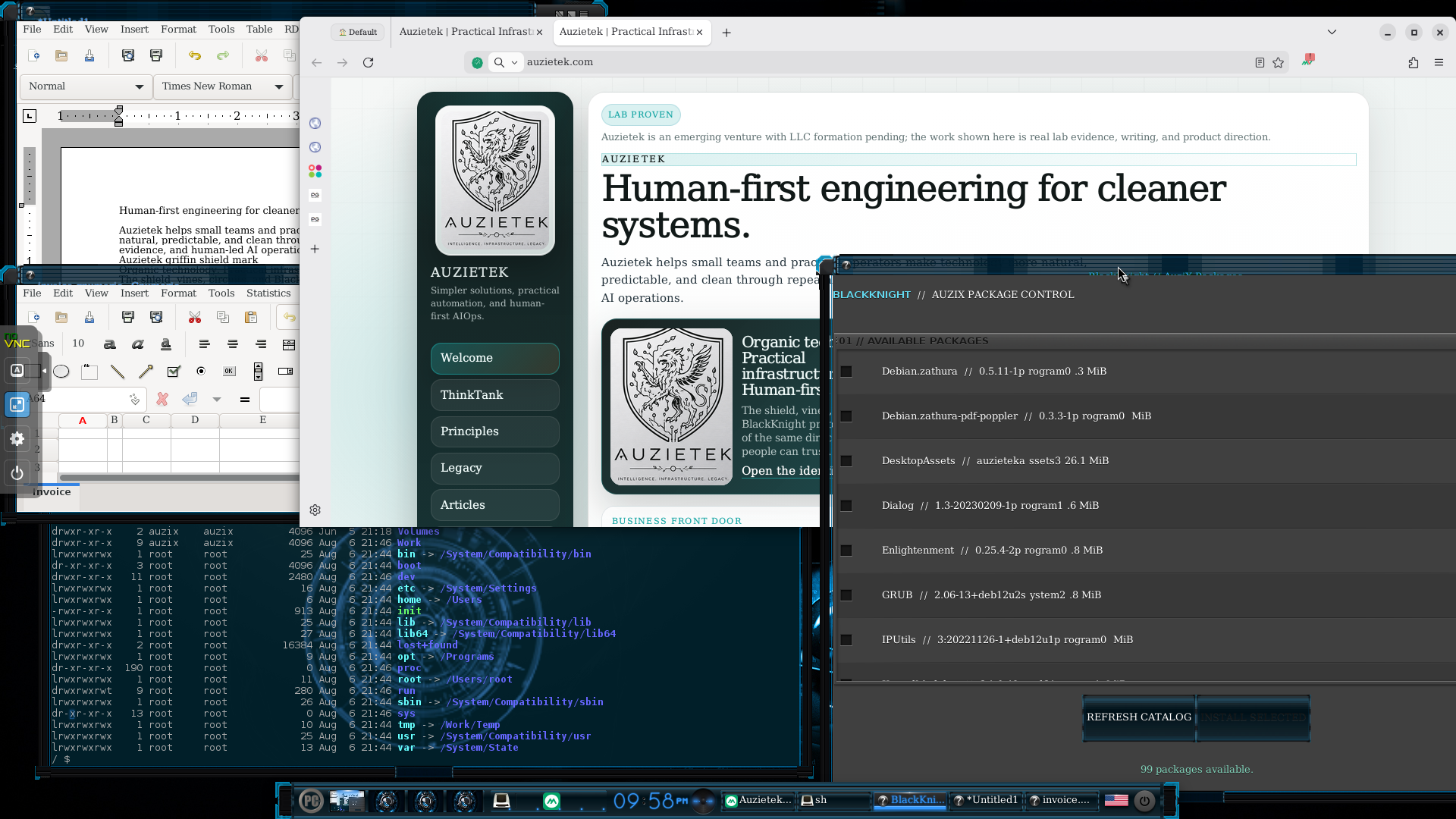
Auzix Assigns: names over accidental paths
Auzix Assigns presents ordered
directories through named, read-only locations. C:, Programs:,
Libraries: and Sys_Libraries: are not shell aliases and do not replace the
host's PATH. They are a bounded FUSE view with explicit source order, duplicate
handling, symlink boundaries and mount validation.
That distinction is the important engineering point. We get a more readable desktop vocabulary without rewriting the host or silently changing where applications find files. The current prototype still has clear limits: write destinations, copy-up semantics, metadata and icon associations, and a full EFL assign editor remain future work.
E-control: settings with a visible provider boundary
E-control is a native EFL workstation panel for AlpinE on Alpine Linux and X11. It brings appearance, displays, audio, wired and wireless networking, Bluetooth, firewall, accounts, storage, printing, software, services and system information into one sidebar-driven surface.
The panel does not replace NetworkManager, BlueZ, CUPS, OpenRC or Enlightenment. It reads their current state and invokes a scoped action when we choose one. Display changes use a timed trial and revert path. Privileged operations go through a separately installed helper instead of handing the entire GUI root access. That separation makes the control panel easier to reason about and easier to test honestly.
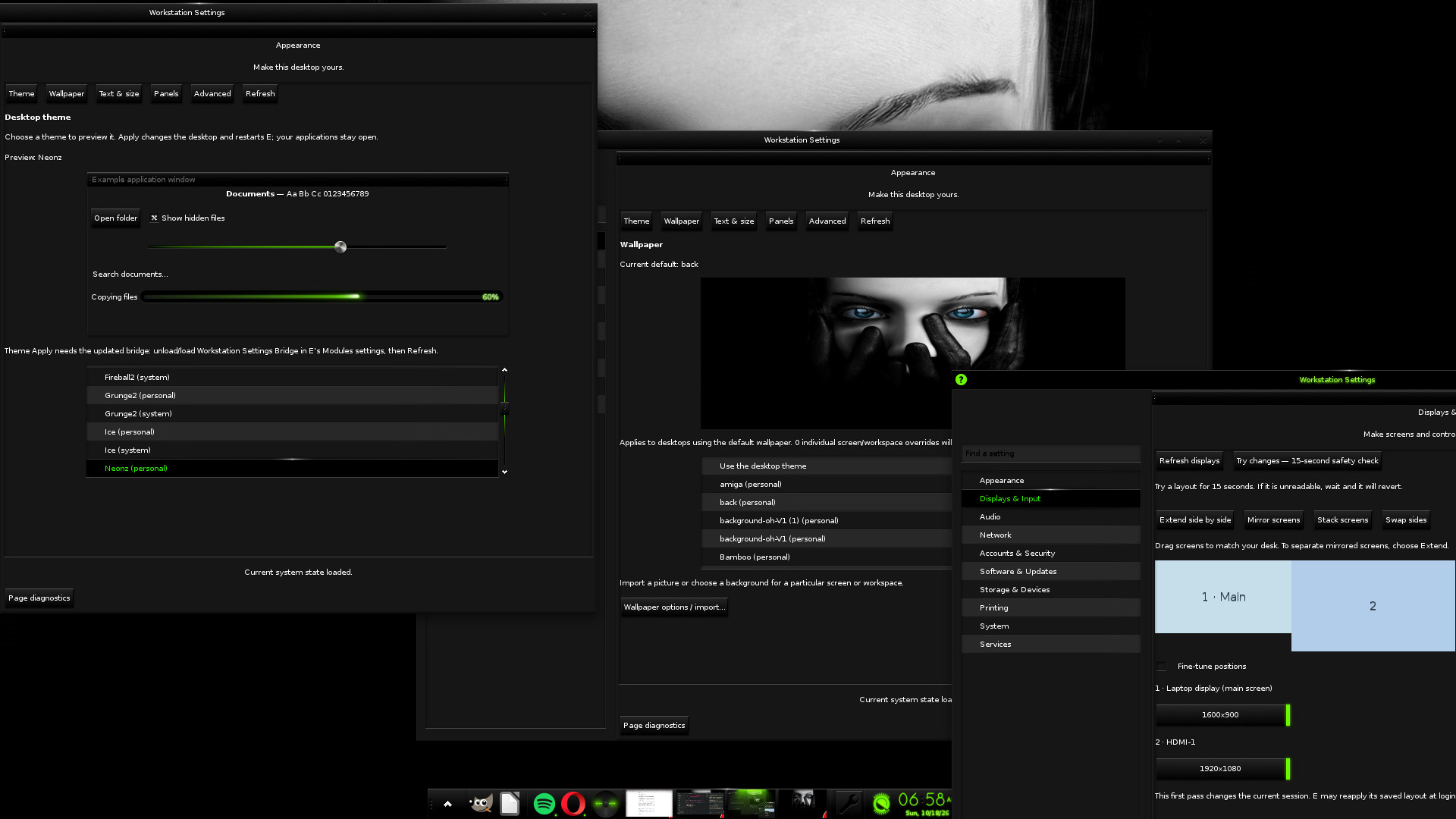
The repository capture makes the provider-backed control surface concrete.
Enaptic: package operations that can be reviewed
Enaptic gives AlpinE a native package surface. It browses installed and available packages, supports fielded search, queues marks, previews the resolved transaction, and keeps APK and reviewed Flatpak operations visible as separate providers.
The signed AlpinE companion feed is part of the packaging story, but the application still keeps source configuration and signing-key trust explicit. That lets us show what a package came from before we apply a change. It also keeps the GUI unprivileged until the scoped helper and active-session policy authorize the operation.
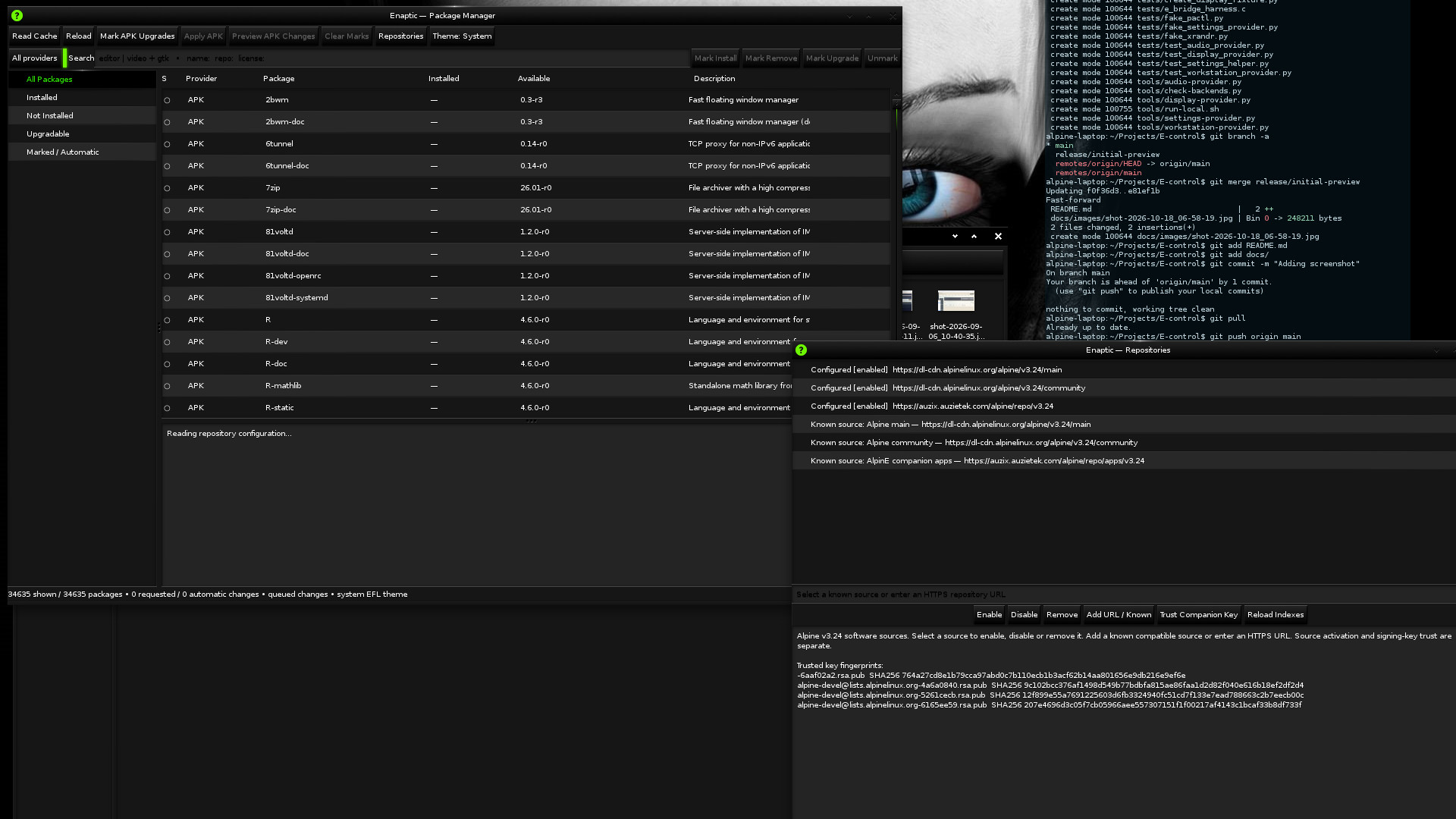
The Enaptic capture accompanies the package-state and transaction notes above.
E-Jamz: a native application is also a systems test
E-Jamz is a native EFL music player with playlist handling, tracker-format playback checks, and rack-style transport and equalizer controls. It is a good test because it exercises desktop integration without being another settings panel.
The existing companion-app article covers the playback and APK details. The Linux question is broader: can a small native application be packaged, installed, launched, themed and tested without losing track of which layer owns each part?
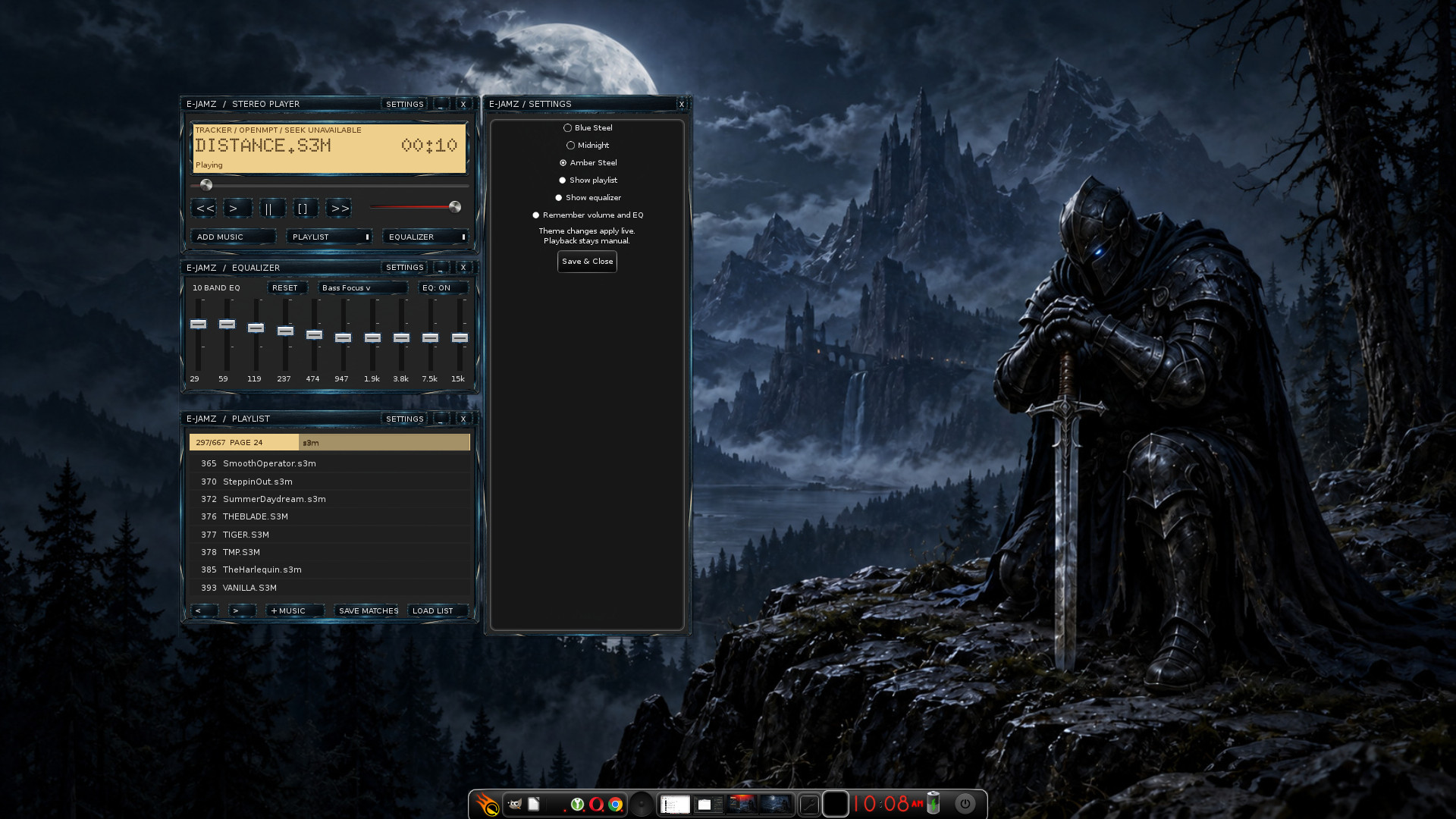
The E-Jamz desktop capture shows the native application in the workstation context.
Theme work is a contract, not decoration
The BlackKnight E Theme and the AlpinE theme packages carry original wallpapers and visual assets. The theme layer has to preserve user choice, keep third-party material's terms clear, and avoid making a desktop session depend on an unverified asset bundle.
That is why the current public notes distinguish original wallpapers from the larger donor-derived theme collection. We can ship and verify what we own while we continue the upstream and redistribution review for the rest.
One workstation, several honest boundaries
The AlpinEifyd repository remains the bridge toward the Alpine-native desktop. AuziX remains a separate preserved operating-system experiment. Assigns, E-control, Enaptic, E-Jamz and the theme repositories can evolve independently while still proving the same thing: native tools, clear ownership, signed packaging, readable paths and evidence that survives the next rebuild.
The Retro Users article keeps the Amiga-like reading in view. This Linux Users article keeps the provider boundaries, package contracts and validation limits in view. We need both if AlpinE is going to become a workstation we can explain rather than another attractive demo image.
Screenshots and notes: Auzietek AlpinE work. Individual project repositories remain the source of truth for implementation status and release limits.